Managed Hosting
BigBlueButton Hosting Plans
Fully rebranded, cost-effective, virtual classroom solution for businesses & enterprises.
Why Choose Managed BigBlueButton Hosting?
We handle all the installation, optimization, updates, and maintenance so you can focus entirely on your users and teaching.
Standard Offerings
Included with Economy PlansGuaranteed resources and flat-rate pricing. Perfect for budget-conscious schools, startups, and tutors requiring a fully white-labeled setup.
- Guaranteed Capacity @ Affordable Pricing
- Rebranded Greenlight User Dashboard
- Automatic storage monitoring with alerts
- Upgradable Plans for more users or storage
- Recording Indexing Dashboard for Admins
- Standard Chat and Email Support
Economy plans are optimized for solopreneurs or small teams seeking professional standalone servers or cost-effective cluster topologies.
Premium Offerings
Included with Premium PlansHigh-performance dedicated infrastructure built for educational institutions, universities, and enterprise deployments that require ultra-low latency.
- Superior Performance with Ultra-low latency
- 99.9% Uptime SLA with priority resolution
- Single Point of Contact (SPOC) Support
- 24/7 Internal Server Performance Monitoring
- Session Analytics Dashboard for Admins
- Priority Chat, Email, and Phone Support
Premium plans leverage redundant server clusters, performance-optimized tuning, and proactive load management to deliver the best possible user experience.
Single Standalone Server vs. Cluster Deployment
Select your teaching format and adjust expected concurrent users to dynamically simulate standalone vs. cluster deployments.
Key Concept: Distributing vs. Consolidating
A single classroom session cannot be split across multiple servers because everyone must share stream packets. However, separate classrooms (like 1-to-1 sessions) can easily be balanced across multiple nodes, reducing load on any single host.
Single Standalone Server
Dedicated Instance for up to 200 users
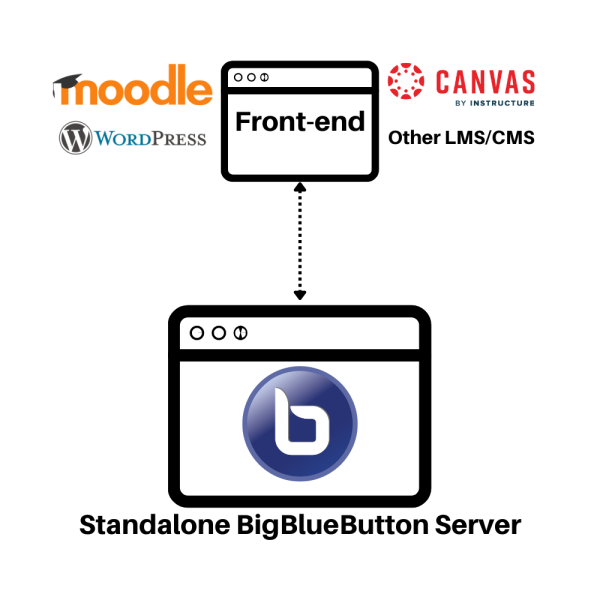
For Small Groups (such as typical classrooms of 20-30 participants) with up to 200 total concurrent users, a Standalone Server is completely capable and highly cost-effective. It runs Greenlight and BBB on one dedicated instance with zero load balancing overhead.
Explanation of Plan Terms & Limits
Understand the metrics and terms used in our pricing configurations to choose the right plan for your organization or business.
Core Parameters
Optimize Resources by Session Type
BigBlueButton consumes different levels of infrastructure resources depending on session type or media contents. Select the most approriate option that represents your primary daily usage:
Group Sessions
Multiple independent group classrooms running simultaneously, typically supporting up to 40 participants per session with moderate webcam sharing.
One to One
Simultaneous 1-to-1 video calls, screen sharing, and private tutoring rooms running across multiple endpoints.
Webinar
A single large interactive session with many passive listeners or active webcams (typically 100+ users) where moderators speak and present.
Submit Your Requirements
If you have custom requirements or a formal tender for institutional deployments (supporting up to 50,000 concurrent users), send us your detailed specification checklist.
- Total concurrent user limits required
- Maximum participants expected per session
- Specific LMS / CMS platforms to integrate
- Average daily session run times
Consult with an Expert
Not sure which plan matches your teaching volume? Book a conversation with one of our DevOps engineers to estimate hosting requirements and walk through configurations.
- Evaluating self-hosted vs managed hosting costs
- Configuring Moodle, Canvas, or WordPress integrations
- Estimating webcam and bandwidth utilization
- Understanding cluster load-balancing logic