Introduction
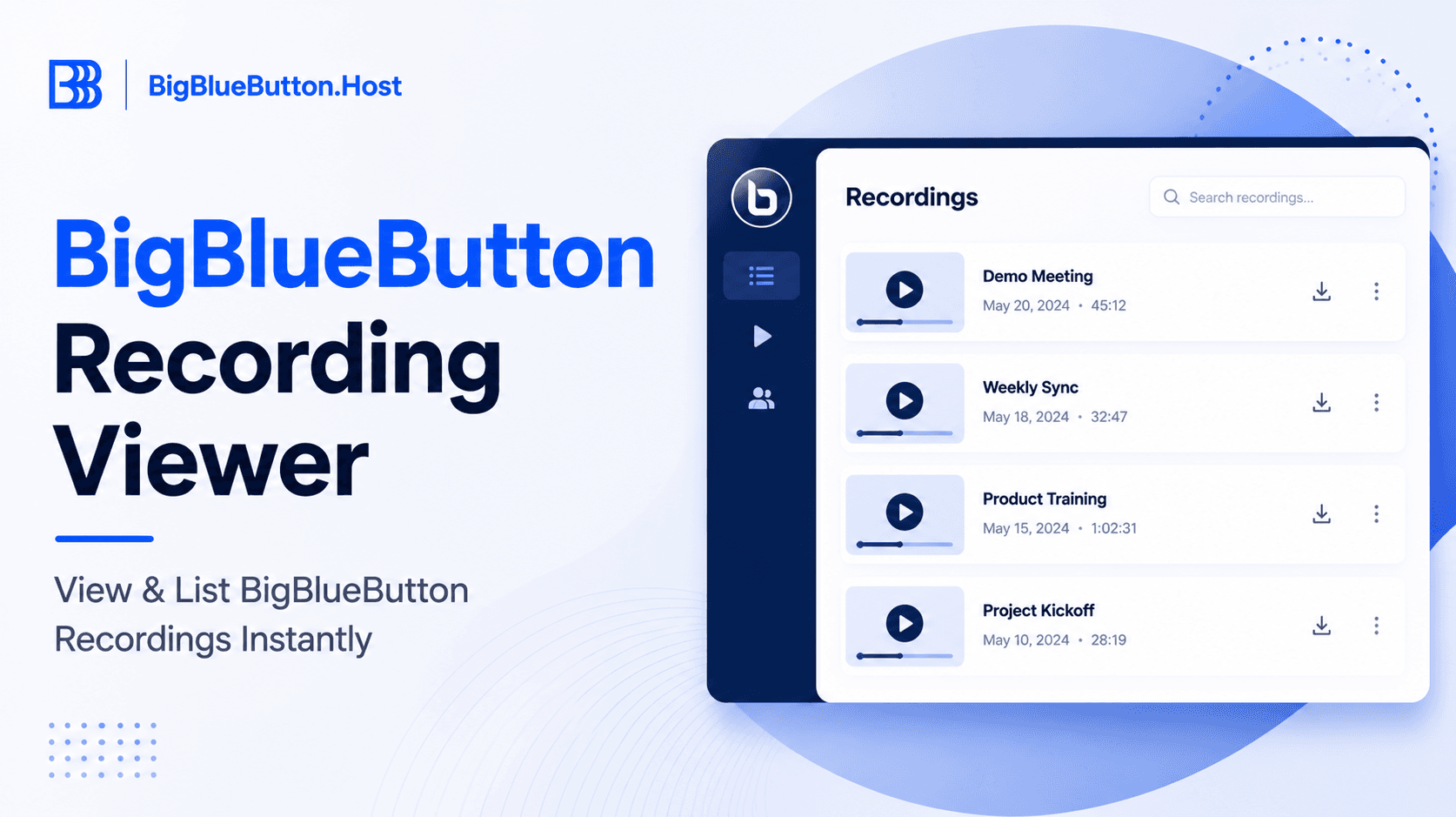
Need a quick way to list and open BigBlueButton recordings without going through an LMS plugin UI? The recording viewer workflow can help administrators, educators, and platform owners verify what is published, test playback formats, and troubleshoot recording visibility.
Prerequisites
Before you start, confirm the following:
- Access to a BigBlueButton server (self-hosted or managed)
- BigBlueButton API URL and shared secret
- HTTPS-enabled endpoint
- Permission to access recording metadata
- A browser for testing playback links
BigBlueButton credential model (required):
- API URL example:
https://bbb.example.com/bigbluebutton/api/ - Shared secret example:
your_server_shared_secret
If you run your own BBB node, retrieve the secret with:
sudo bbb-conf --secret
Important:
- Keep
/bigbluebutton/api/in the URL unless your provider specifies otherwise. - Only administrators or trusted integration services should handle the shared secret.
Step-by-step setup
1. Collect and verify API credentials
- Copy the API URL from your BBB deployment or provider.
- Copy the shared secret from secure storage.
- Confirm both values are from the same environment (staging vs production).
2. Check published recordings directly via official API
Before using any viewer UI, validate server response from the official endpoint:
# Replace with your endpoint and checksum logic/tooling
# Endpoint pattern:
# https://bbb.example.com/bigbluebutton/api/getRecordings?checksum=<checksum>
Use your existing API client/signing utility to generate checksum values correctly. This confirms the credentials are valid and recordings exist.
3. Open a recordings viewer tool
From the provided source, the public viewer tool is:
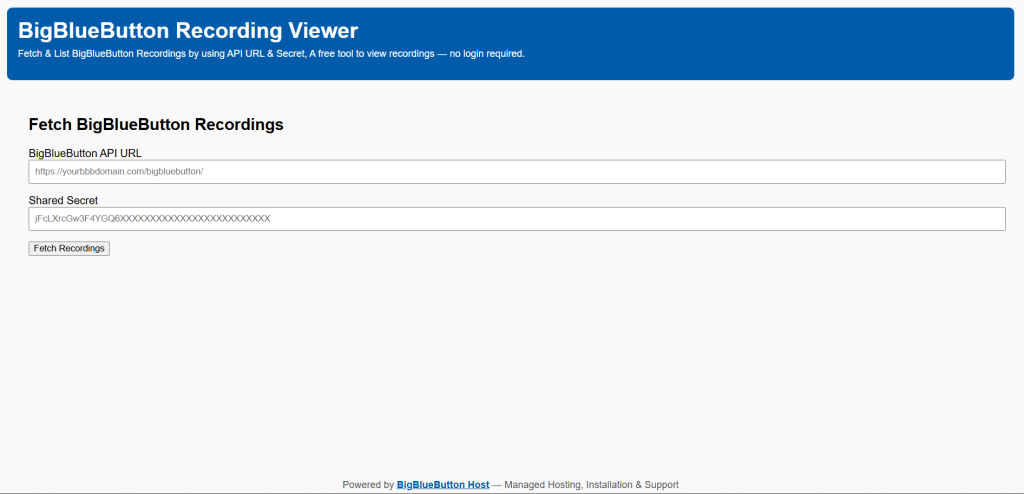
Typical flow in such viewers:
- Paste API URL.
- Paste shared secret.
- Submit request.
- Browse published recordings.
- Open available playback formats (presentation/video/audio).
4. Understand role behavior (moderator vs participant)
When handling recordings:
- Moderators/admins typically control recording publication state through LMS/integration or admin tools.
- Participants generally consume published recording links and should not have API secret access.
- If a recording is not published, listing tools may not show it even if raw assets exist.
5. Apply current best-practice update from older guidance
The source highlights "no login, just paste API URL and secret." This can be useful for quick tests, but in production treat this as a temporary diagnostic pattern, not a permanent operating model.
Better approach for long-term operations:
- Use an internal proxy/service account instead of sharing server secret broadly.
- Restrict credential access to trusted admin users only.
- Rotate shared secret through change control when exposure is suspected.
Source screenshots and image references
Useful visual references from the source page:
- Post cover/screenshot used in source article:
- Recording viewer entry point mentioned in source:
If you reuse screenshots in your own documentation, verify branding/privacy policy and avoid exposing private meeting metadata.
Validation/testing checklist
Use this checklist after setup:
- API URL is reachable over HTTPS.
- Shared secret matches the same BBB environment.
- Official
getRecordingsAPI call returns success. - Viewer lists published recordings (not just all raw recordings).
- Playback opens for at least one format.
- A test recording created today appears after processing completes.
- Moderator and participant access expectations are documented.
Troubleshooting
If recordings do not appear:
- Confirm you are using the correct API URL ending and hostname.
- Re-check secret for copy/paste whitespace errors.
- Verify recording is actually published.
- Wait for recording post-processing to finish.
- Test direct API call before troubleshooting viewer UI.
- Check reverse proxy/firewall restrictions.
If playback links fail:
- Check certificate validity and mixed-content issues.
- Confirm playback format exists for that recording.
- Verify CDN/cache is not serving stale metadata.
- Re-test from a private browser window.
If results differ between LMS and viewer:
- LMS may apply role filters or course-level visibility.
- Viewer may show server-level published recordings.
- Align policy so users know what should be visible where.
Security and operations best practices
- Never expose BBB shared secret in client-side code or public repos.
- Prefer a backend proxy for recording queries in production.
- Scope access to least privilege and audit admin usage.
- Rotate credentials periodically and after staff/vendor changes.
- Document retention policy and recording publication workflow.
- Monitor API failures and processing backlog.
- If using managed infrastructure, use provider support channels for incident response and upgrade windows.
FAQ
Do I need an LMS to list BigBlueButton recordings?
No. You can query recordings directly from BBB API-compatible tools using API URL and shared secret.
Why can I see only some recordings?
Most viewers show published recordings. Unpublished or still-processing recordings may be hidden.
Who should have access to the shared secret?
Only trusted administrators or backend services. End users and participants should not handle server secrets.
Is it safe to paste secrets into third-party viewers?
Use caution. For production, prefer internal tooling or a trusted proxy model to reduce secret exposure risk.
What is the minimum credential set for BBB API integration?
API URL plus shared secret. Both must belong to the same server environment.
Conclusion
Viewing and listing BigBlueButton recordings can be very fast when you validate credentials first, test with official API behavior, and then use a viewer for operational convenience. Keep the workflow admin-focused, protect shared secrets, and document moderator/participant visibility rules so recording access is predictable across your platform.
Additional resources
- BigBlueButton API documentation: https://docs.bigbluebutton.org/development/api/
- BigBlueButton recording administration: https://docs.bigbluebutton.org/administration/recording/
- Source article (reference): /blog/view-recordings
- Source viewer URL: https://recordings.bigbluebutton.host/
About BigBlueButton Host
Thanks for reading this post on View & List BigBlueButton Recordings Instantly. At BigBlueButton Host, we help teams, schools, and training organizations run dependable BigBlueButton infrastructure with practical guidance, clear deployment paths, and real-world operational support.
Related Articles
Deploy BigBlueButton Today
Get your own fully managed BigBlueButton server up and running in minutes. No technical expertise required.